Question 1
SIMULATION -
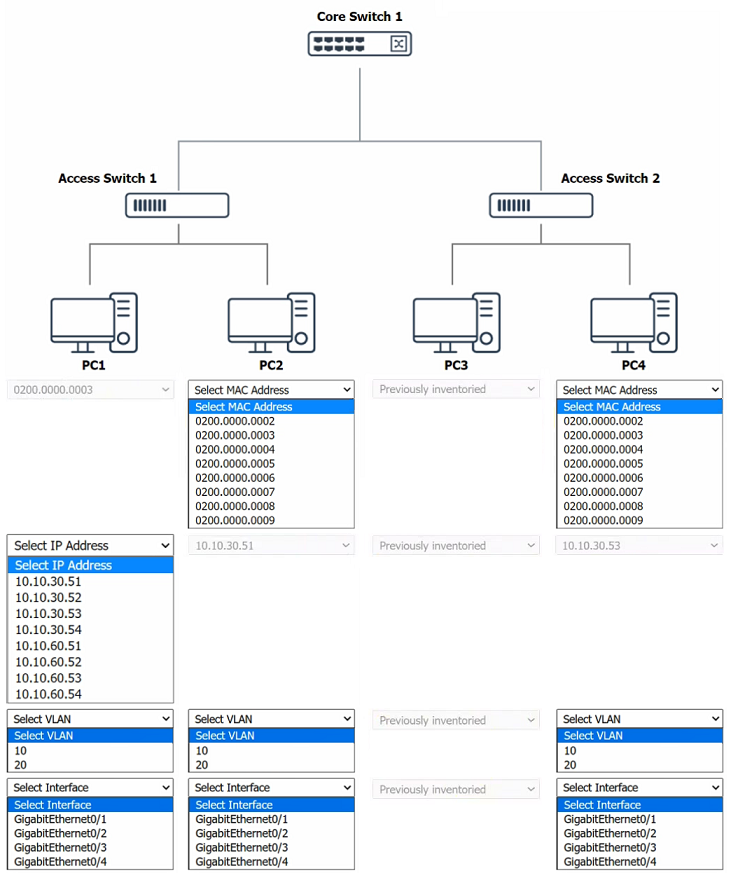
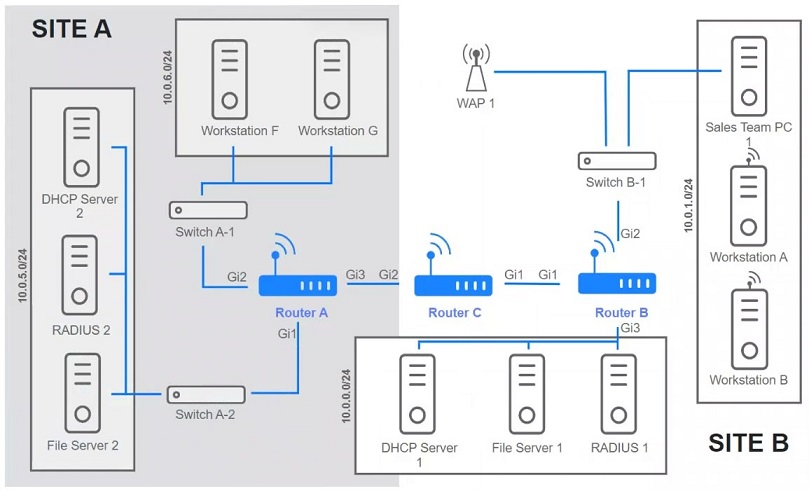
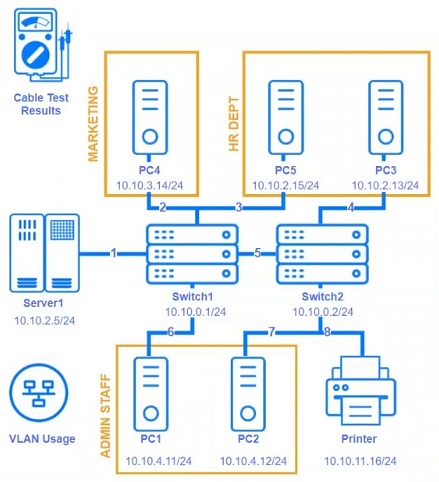
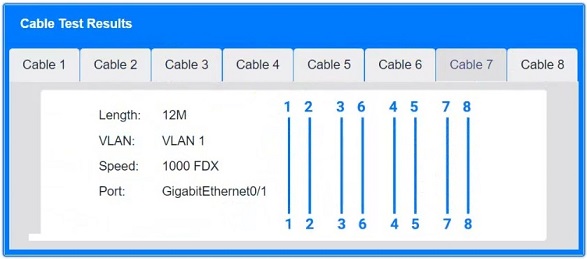
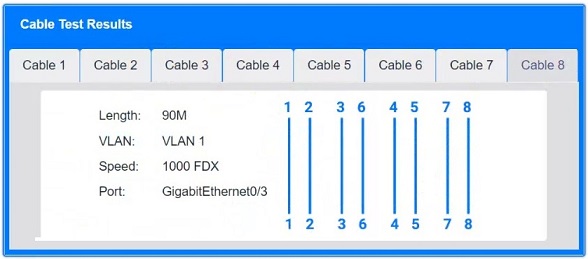
A network technician replaced an access layer switch and needs to reconfigure it to allow the connected devices to connect to the correct networks.
INSTRUCTIONS -
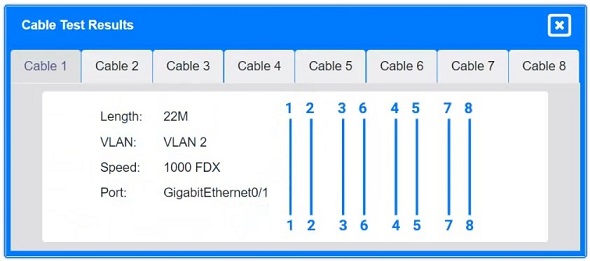
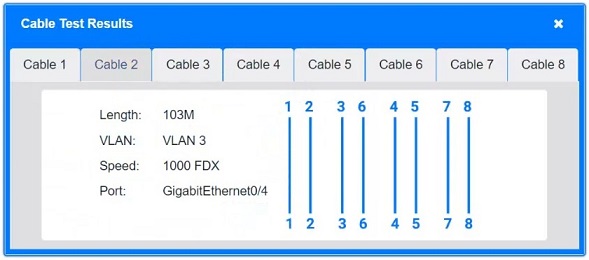
Click on the appropriate port(s) on Switch 1 and Switch 3 to verify or reconfigure the correct settings:
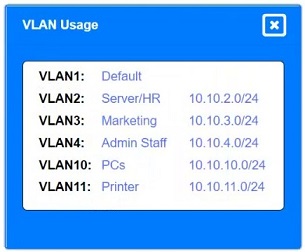
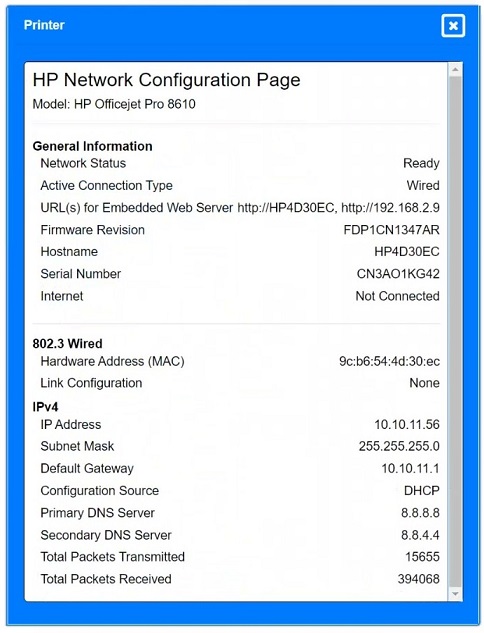
Ensure each device accesses only its correctly associated network.
Disable all unused switchports.
Require fault-tolerant connections between the switches.
Only make necessary changes to complete the above requirements.
If at any time you would like to bring back the initial state of the simulation, please click the Reset All button.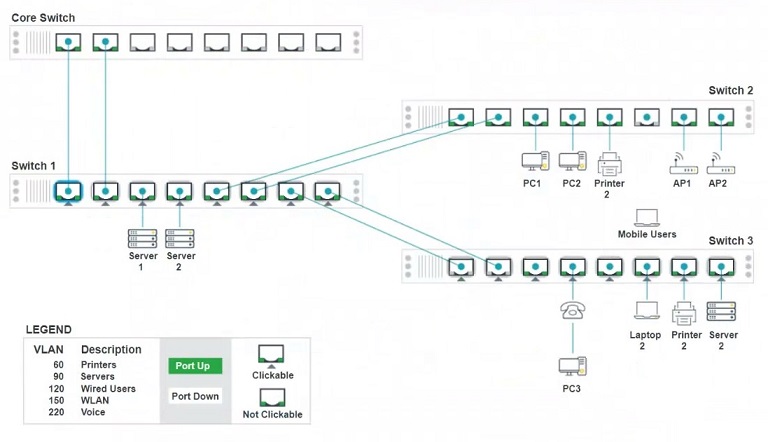
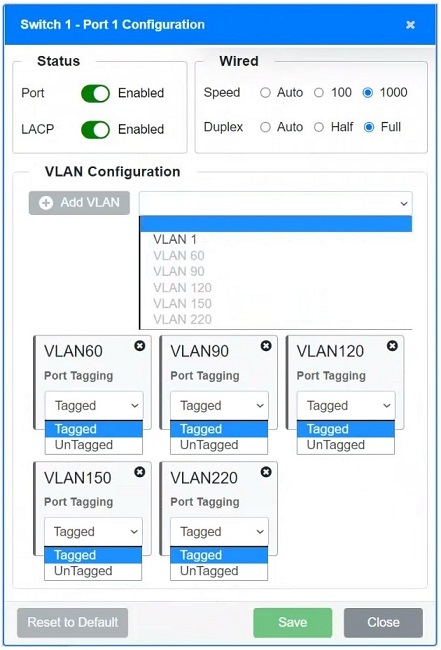
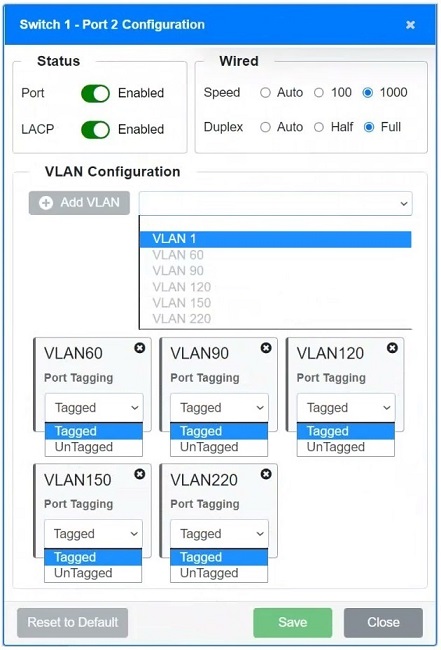
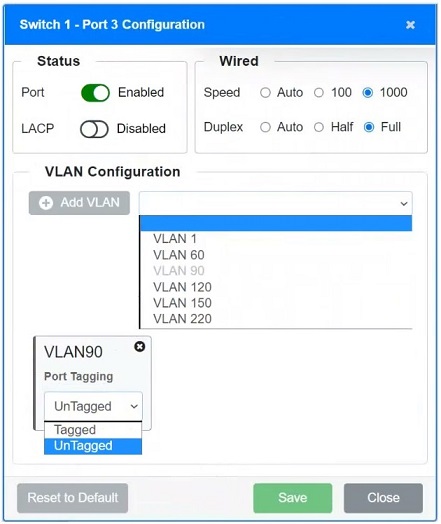
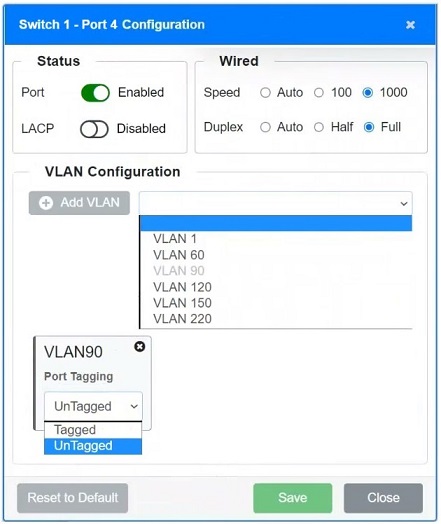
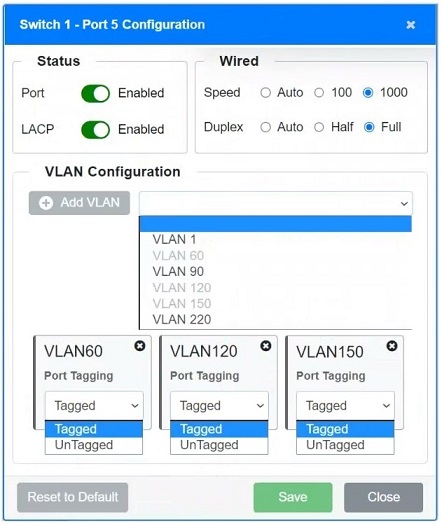
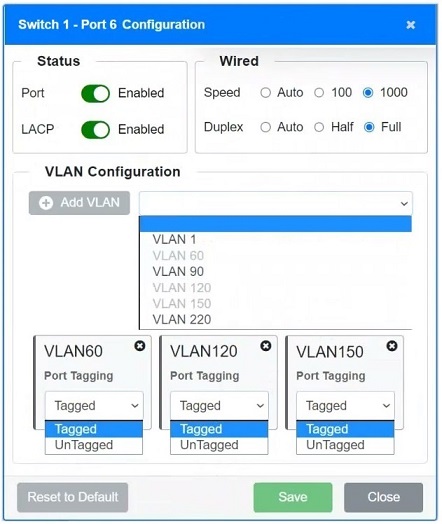
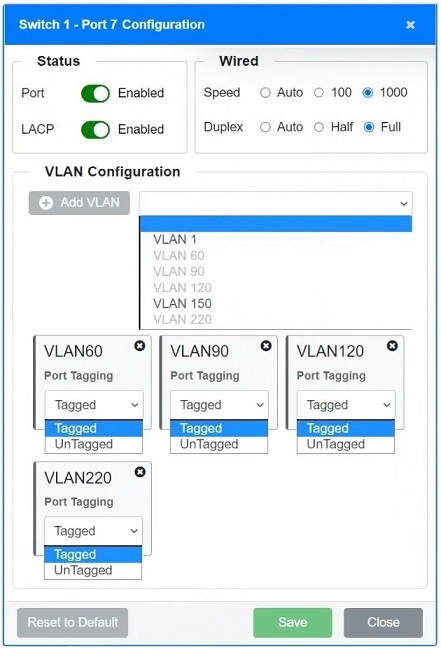
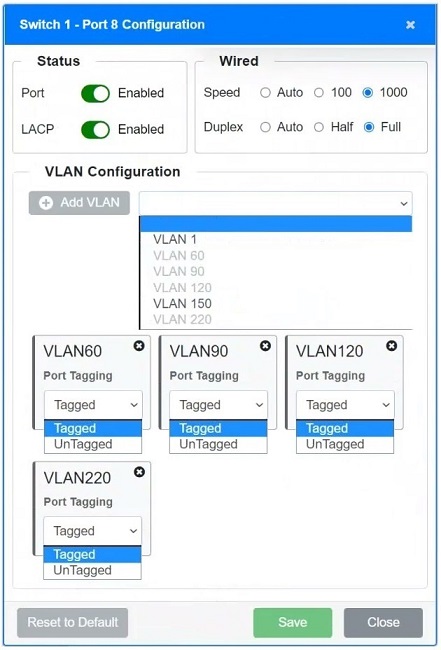
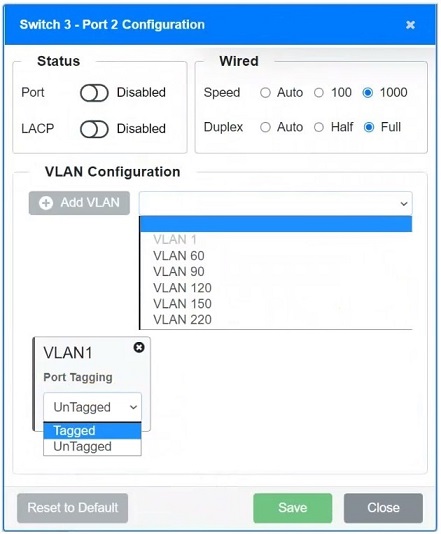
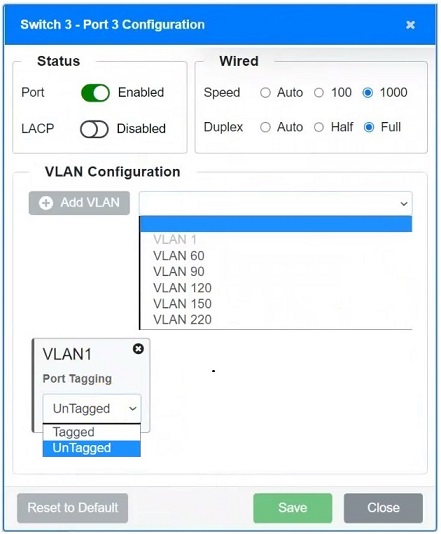
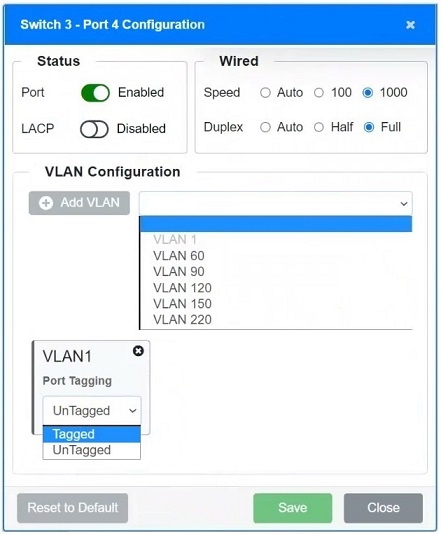
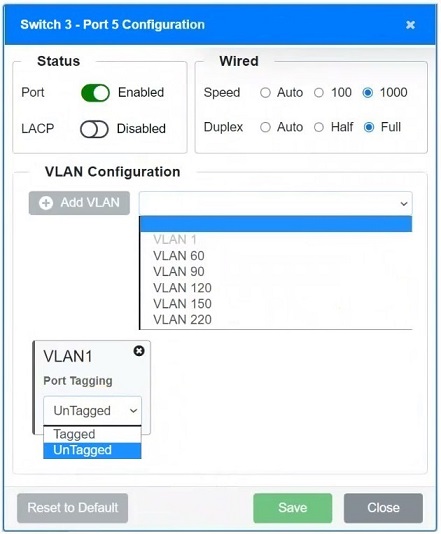
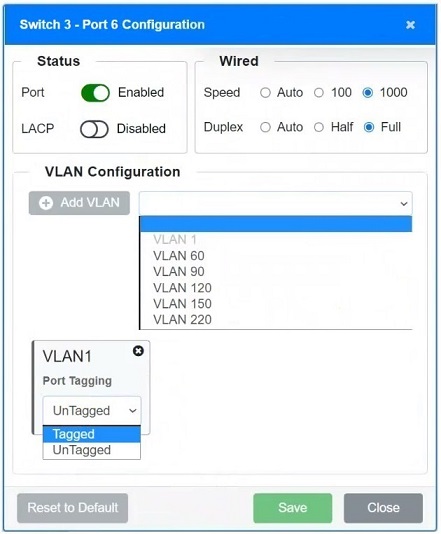
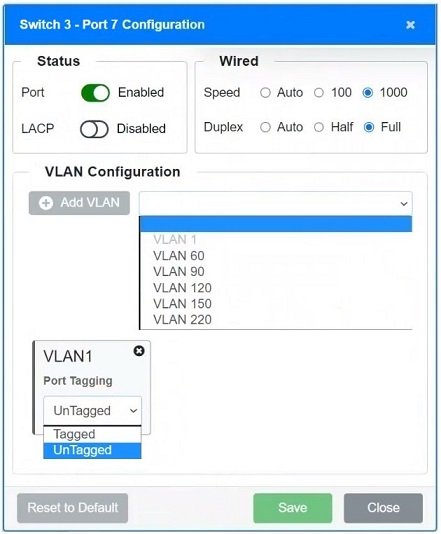
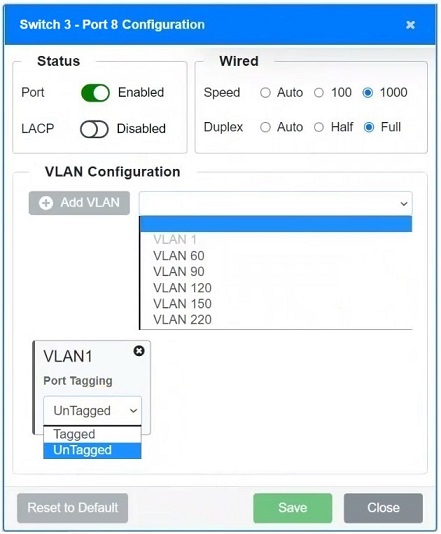
Based on the question's requirements, the provided simulation images, and the discussion summary, I agree with the suggested answer because it comprehensively addresses the key tasks: configuring ports based on connected devices and VLANs, ensuring fault tolerance, and disabling unused ports. The solution appropriately emphasizes the importance of configuring each port according to its connected device, which aligns perfectly with the scenario description.
The reasoning for choosing this answer is that it thoroughly covers all aspects of the simulation question. It correctly identifies that:
- Ports should be configured to match the VLAN requirements of connected devices (servers, PCs, printers, etc.).
- Unused ports should be disabled to enhance security.
- LACP should be configured on ports connecting switches to provide fault tolerance and increased bandwidth.
The reason for not choosing other potential answers is that they might not comprehensively cover all instructions, especially the fault tolerance requirement (LACP configuration) or the disabling of unused ports, both of which are explicitly mentioned in the question. Simply setting VLANs without addressing redundancy or security would be an incomplete solution.
- Switch 1 Configurations:
- Port 1 to Port 7:
- Ports should have VLANs set according to the devices they connect to. For instance, if a port is connecting to servers, only the VLAN for servers (e.g., VLAN 90) should be enabled and tagged if required.
- Ensure unused VLANs are not active or set to untagged on these ports to prevent unauthorized network access.
- Ports:
- This port's configuration needs to align with the devices it connects to. Based on your first image, adjust the VLAN tagging accordingly. If it connects to printers, VLAN 60 should be tagged, and all other VLANs should be disabled or untagged.
- Switch 3 Configurations:
- Ports 2 to 8:
- The configurations here must also match the connected devices. For mobile user connections, only VLANs relevant to user access (like VLAN 150 for WLAN) should be enabled and set to tagged or untagged based on network policies.
- Any VLAN not associated with the connected devices should be disabled to secure the network.
- Fault Tolerant Connections:
- Ensure redundancy: If these switches are connected via multiple ports, configure Link Aggregation Control Protocol (LACP) if not already set up to provide redundancy and increased bandwidth.
- Check duplex and speed settings: Ensure that duplex settings are set to Auto to avoid duplex mismatch which can cause performance issues.
- Disabling Unused Ports:
- Any port not connected or not planned to be used should be disabled to prevent unauthorized access or network breaches.
- Final Checks:
- Verify settings: After configuration changes, verify all settings to ensure they adhere to network policies and the devices are performing as expected.
- Documentation: Update network documentation to reflect changes for future troubleshooting and audits.
Citations:
- VLAN Configuration, https://www.cisco.com/c/en/us/td/docs/switches/lan/catalyst2960x/software/15_2_2_e/configuration/guide/scg1522e/swvlan.html
- Link Aggregation Control Protocol (LACP), https://www.juniper.net/documentation/us/en/software/junos/interfaces-ethernet/topics/topic-map/link-aggregation-control-protocol.html
- Port Security, https://www.fortinet.com/resources/cyberglossary/port-security